
Saving plantiga.io as an App
We recommend saving the plantiga.io page as an icon on your phone’s home screen for easy access. It will show up as a grey icon and is different than the green set up app which is downloaded from the app store. Just follow these steps!
- On your phone, navigate to plantiga.io and log in using the same email you registered with.

iPhone (Safari)
-
Scroll up on the page until you see the following icon appear at the bottom of the screen
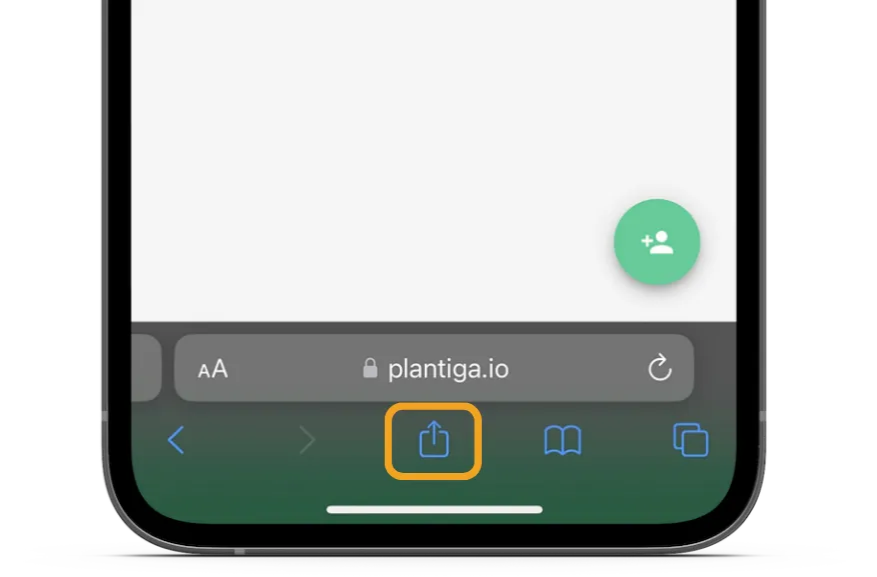
- Then select “Add to Home Screen”. Name it “plantiga.io”

Android (Chrome)
- Click the 3 dots next to the URL bar and select “Install App.”
