
Self Service API
A service account provides the credentials required for your organization to use the Plantiga API. You can create up to 10 service accounts for your organization needs and keep track of their use on one page.
Step 1: Create a service account
Note: only users who are Admin on your org can create or change a service account. Users with Editor rights on the org can access and use the service accounts.
- Once you navigate to plantiga.io, click the organization name in the bottom left corner
-
Click on Settings from the pop-up menu
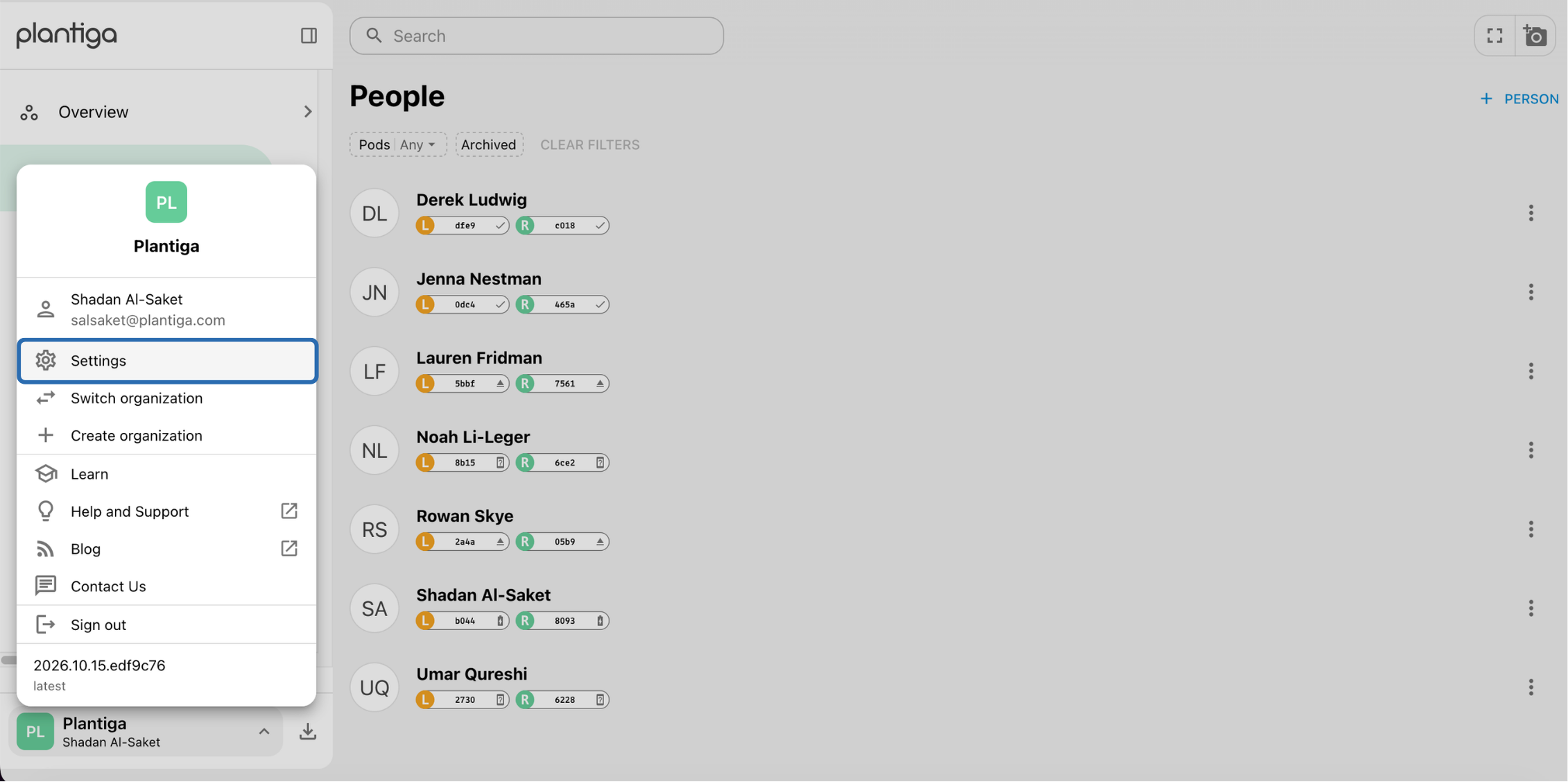
Settings navigation
-
Scroll down, under "Developer settings" and click Service accounts
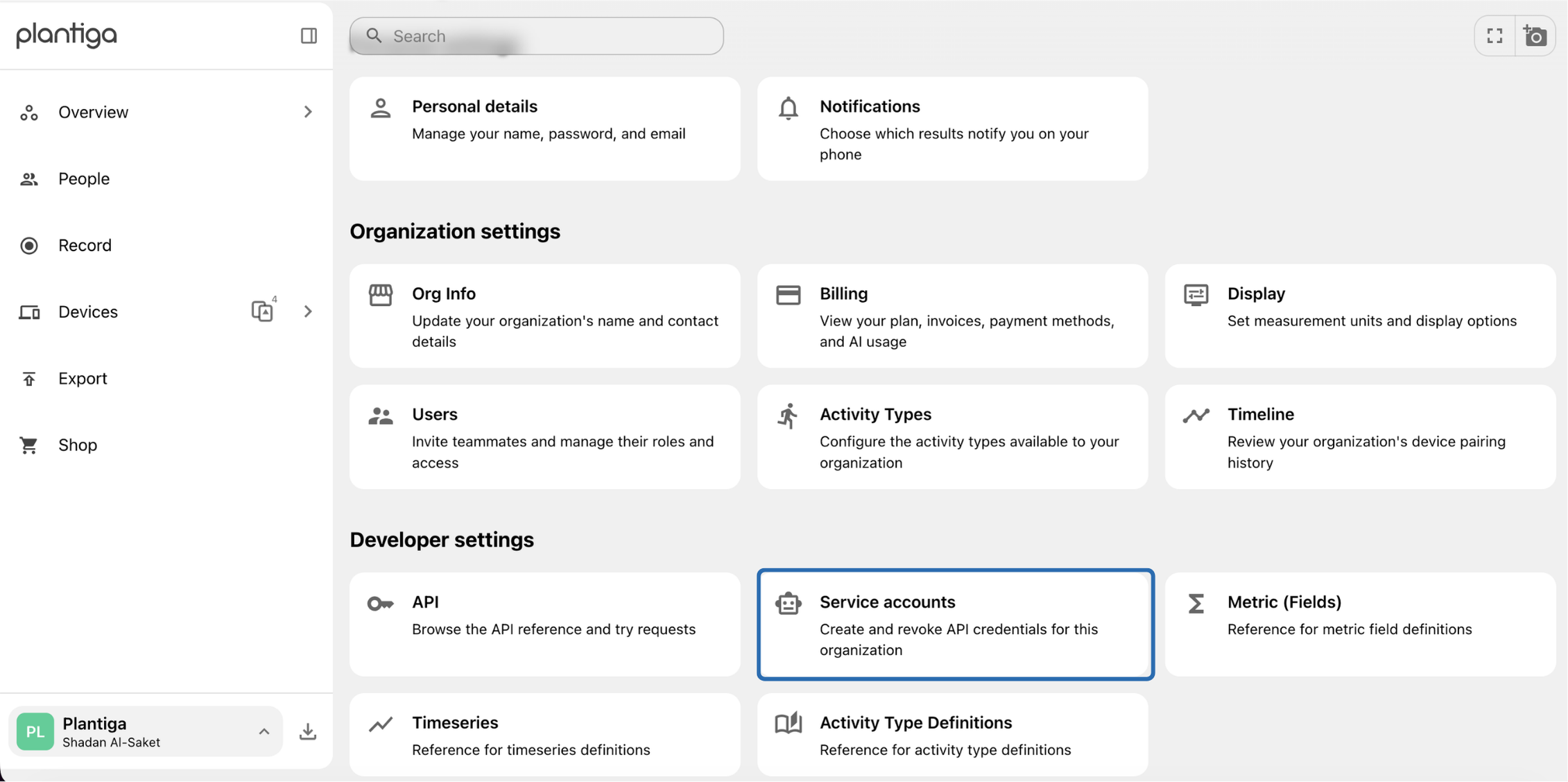
Setting -
Click "+ Service Account" in the top right corner
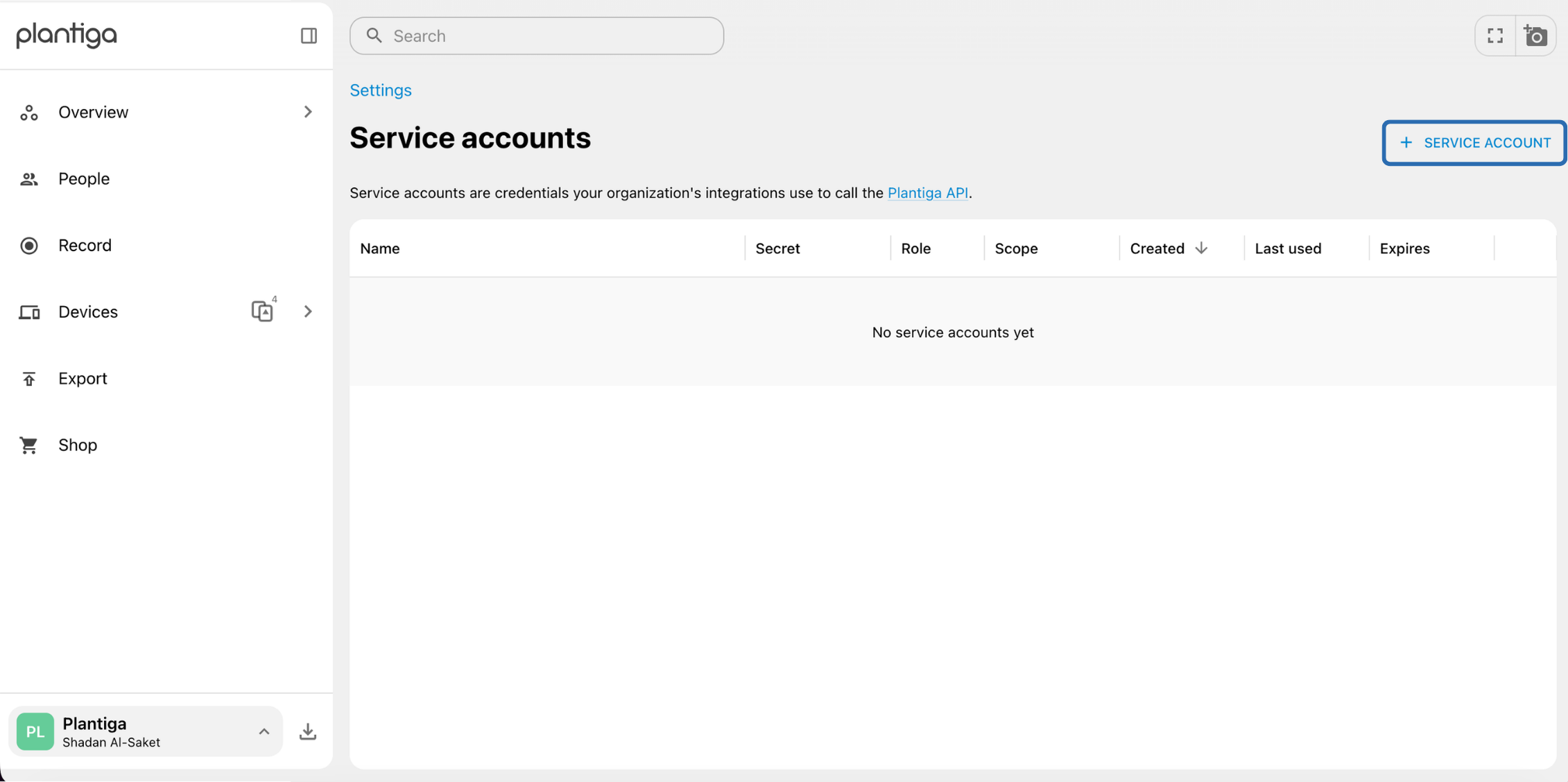
Service account page -
Fill out the prompts on the pop-up menu, then click Create
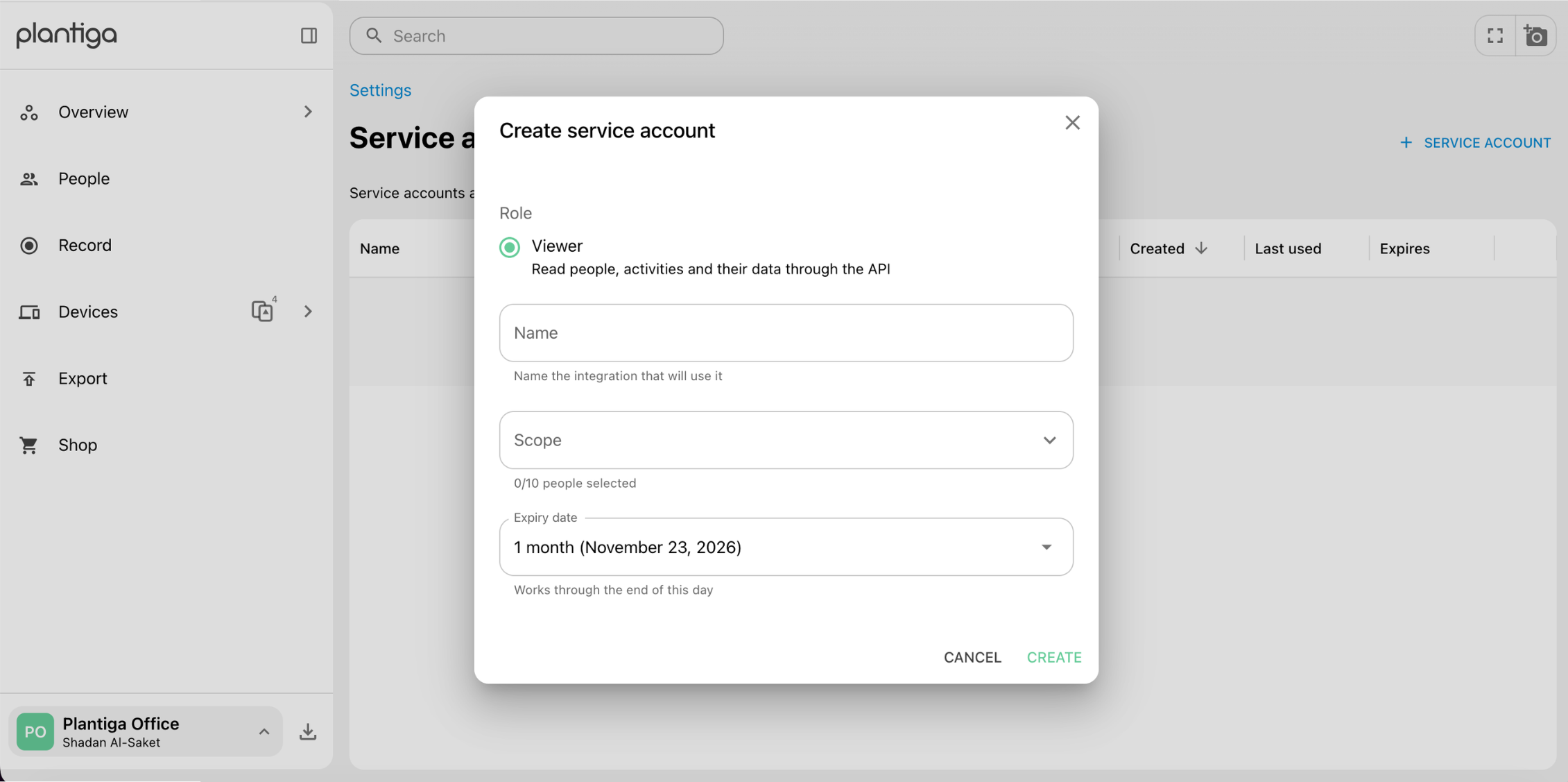
Create a service account -
Copy the secret code that appears in the pop-up window as you will not be able to see it again! Keep it somewhere safe and treat it as you would a password.
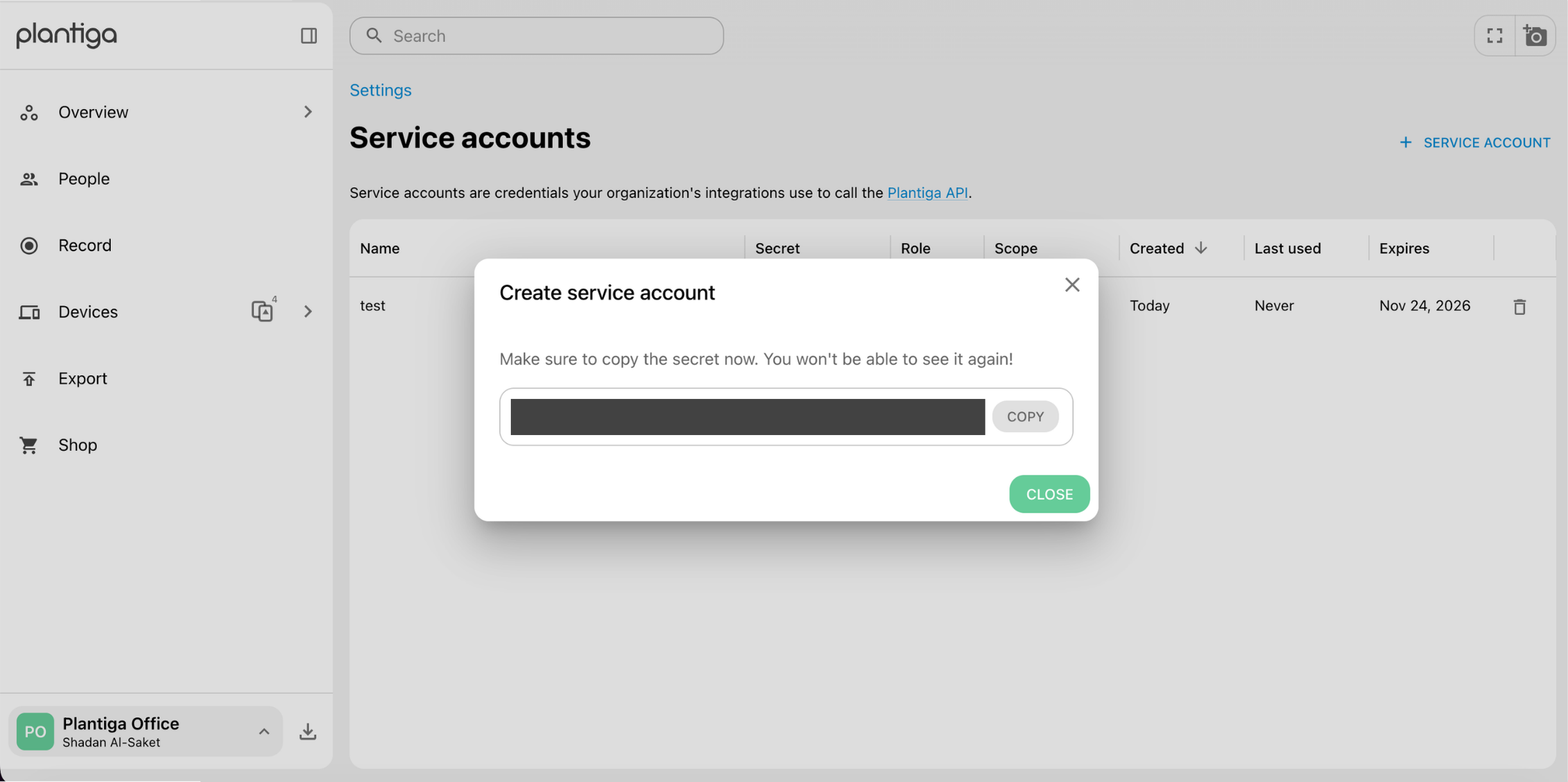
Service account secret
Step 2: Using your service account
Now that you've created a service account, you can call the Plantiga API integration from the API reference in settings.
